
What you can do with PawNote
Your calendar, treatment notes, and messages in one place
Book an appointment, read your notes from the last visit, and contact the client after treatment. PawNote keeps it all together, whether you work in a clinic or visit clients.
For canine and equine massage therapists, animal craniosacral therapists, and other animal therapists, as well as vets working on their own or making home visits.
- 14 days free
- No payment card
- No commitment
Explore the features
See how PawNote works
Choose a section to see how you can use it in your practice.
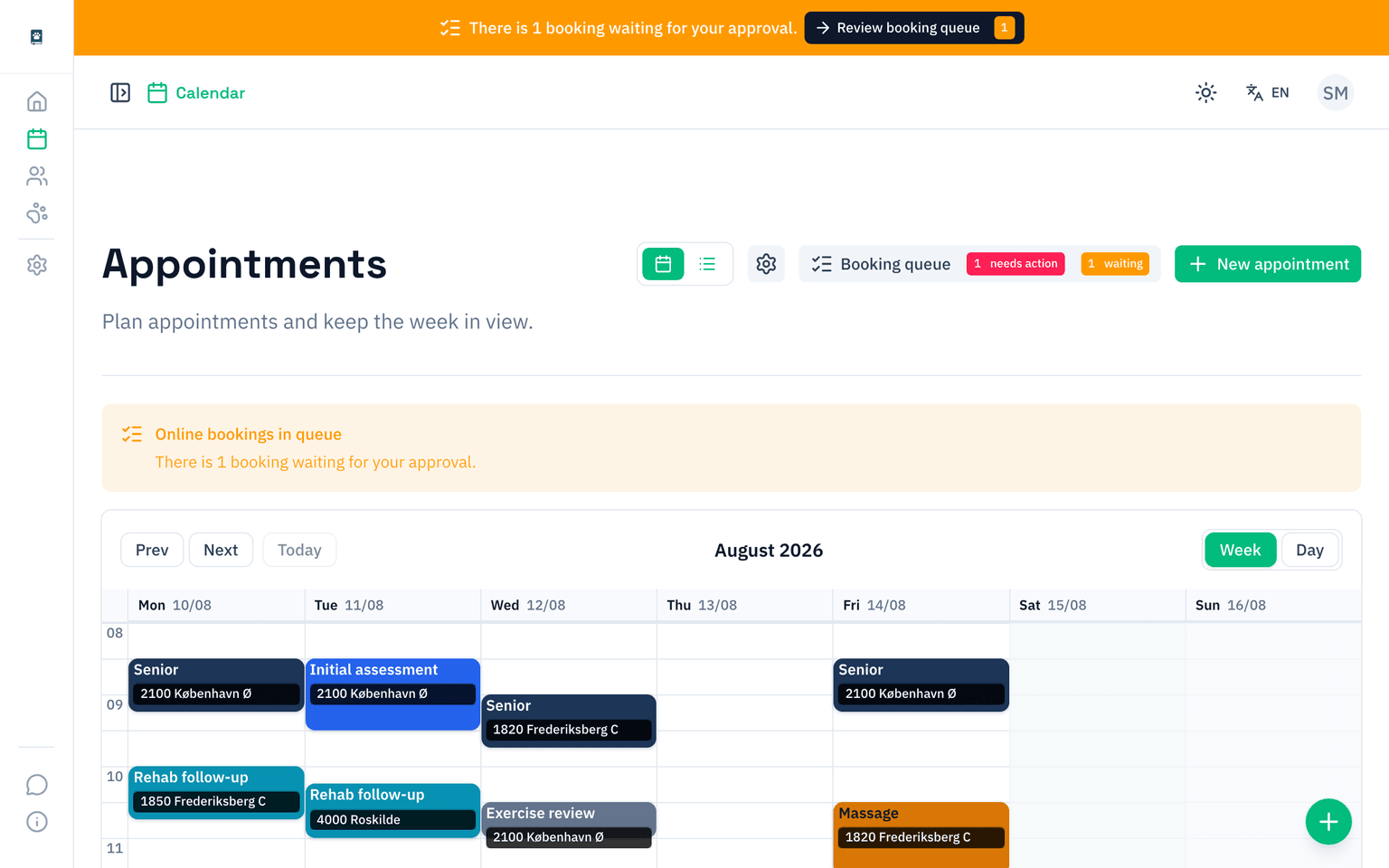
01 · Online booking and calendar
Let clients book a time
You choose which services and available times clients can book online. You can also add appointments yourself. Both appear in your calendar, so you can see who is coming and when.
Online booking is optional. You can use the calendar on its own.
02 · Records and treatment
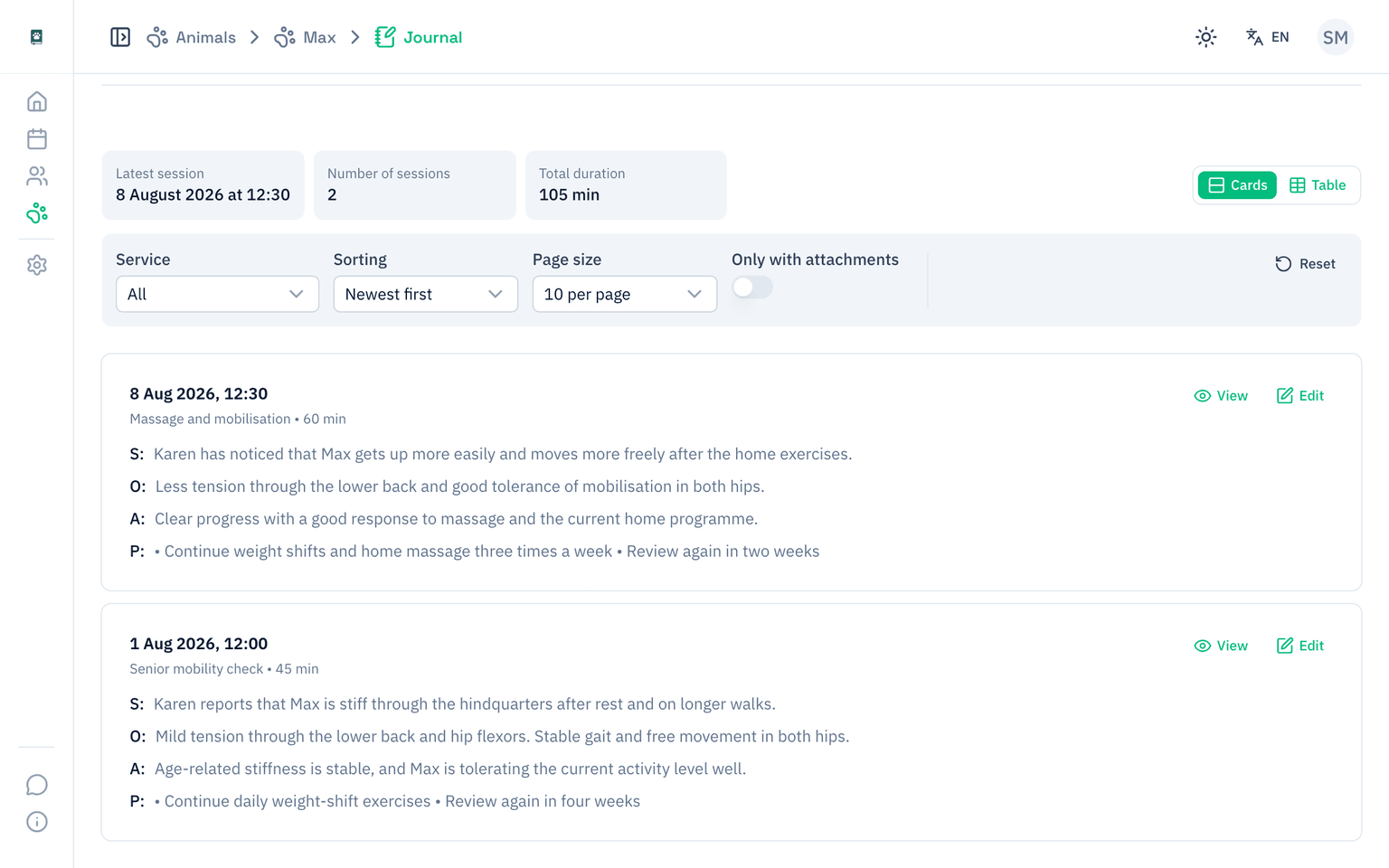
Find your notes from the last visit
Open an animal’s record to read your previous notes. After treatment, add a new note with any photos or documents. All notes are saved with the animal, so you can follow their progress from visit to visit.
Write free-form notes or use the SOAP format to organise them into sections.
03 · Client contact and scheduled messages
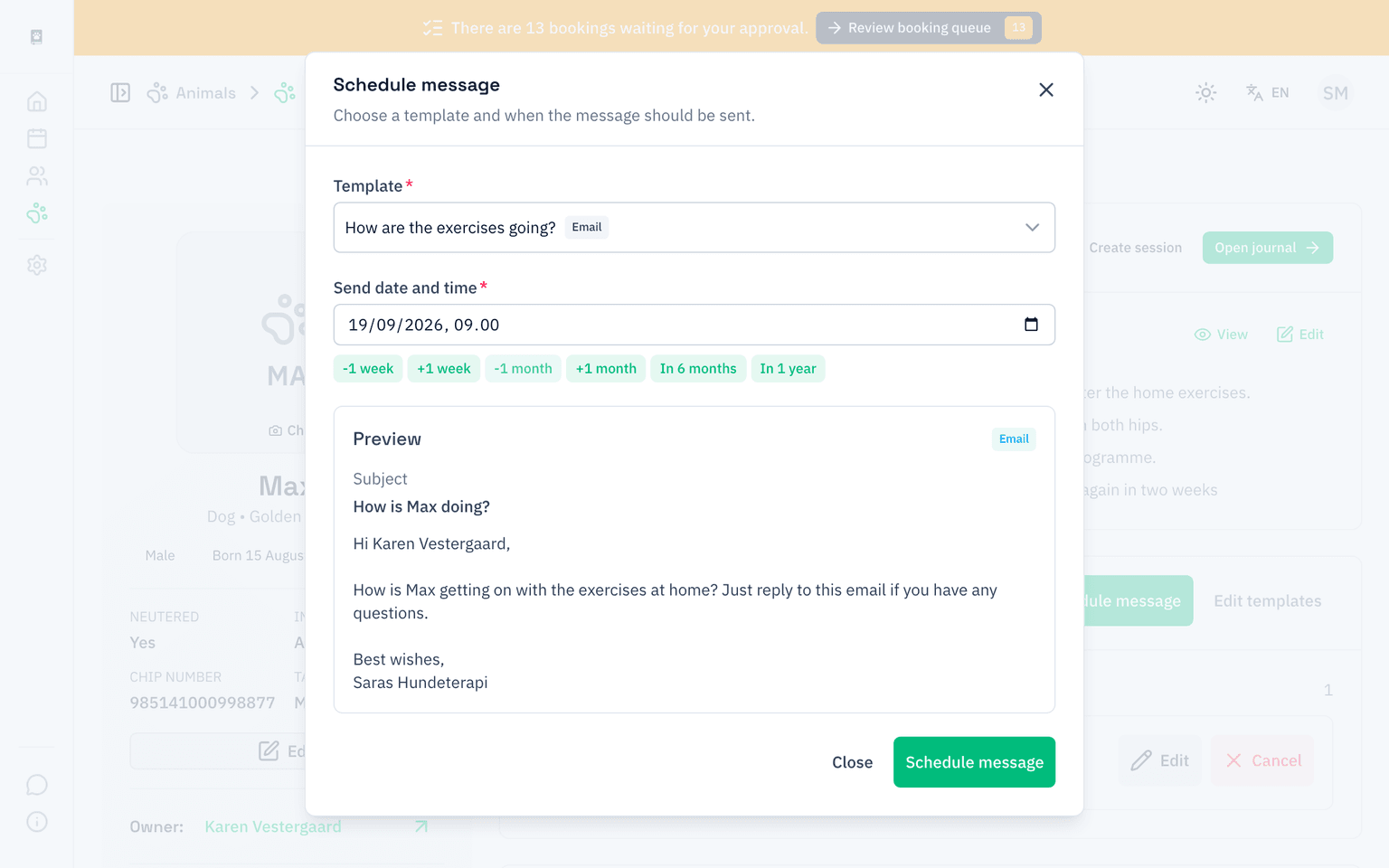
Prepare a message now. Send it later.
Does a client need a reminder later? Choose an email template on the animal’s page and set a date and time to send it. You can see upcoming messages, and PawNote adds a task if a message fails to send.
SMS is available as an add-on in supported markets.
More features
Take care of the day-to-day details
Save client details, attach photos, and download a treatment record as a PDF.
Clients and animals
Several animals, one client
Add a client once, then add each of the animals you treat.
Previous visits
Check an animal’s appointments and treatment notes before the next visit.
Contact details
Find the client’s phone number, email, and address on their page.
Records and treatment
Images and documents
Attach photos and documents to your treatment notes.
SOAP or free-form notes
Write in your own words or use the sections provided by the SOAP format.
Message templates
Save messages you use often so you don’t have to write them from scratch.
Overview and follow-up
Today's appointments
See appointments for today and the days ahead when you sign in.
Tasks and follow-ups
See your follow-ups and scheduled messages that need attention.
PDF treatment reports
Download a report with your practice name and logo to share with a client.
Canine therapist and practice owner
From Word templates to connected records
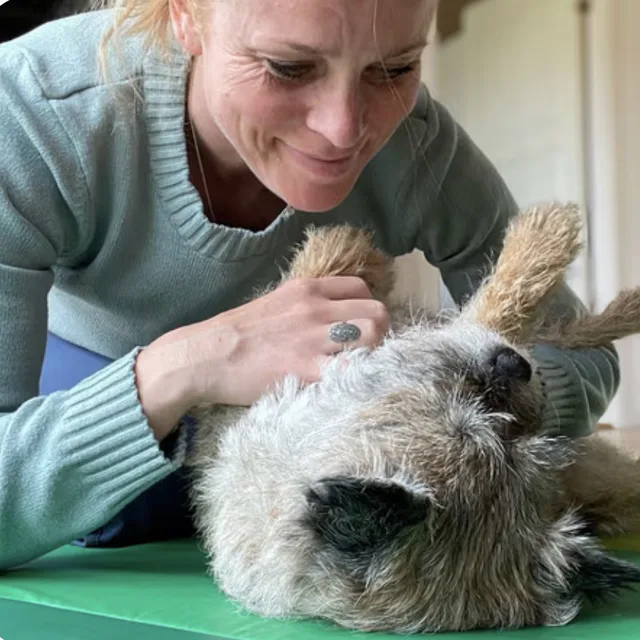
“I finally have control of the records and no longer rely on old Word templates.”
When Dina started Hundeterapeuten, she could not find a record system that suited a small animal therapy practice. PawNote was developed around her day-to-day work with owners, animals, and treatment notes.
In practice
Her records are now kept in PawNote, and the old Word templates have been left behind.
Questions and answers
Want to know more?
A few things you might be wondering before you try PawNote.
14 days free
Try it with your next appointment
Add a client and an animal, book a time, and write your first treatment note. See for yourself whether PawNote works for you.
Start 14-day free trial- 14 days free
- No payment card
- No commitment